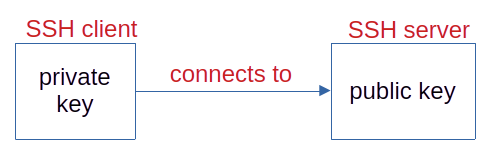
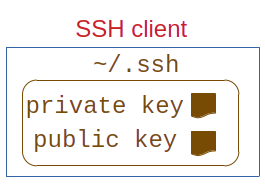
SSH keys: a public key and a private key, associated
The private key is protected by a passphrase.
Identification by password: the password travels on the network.
Identification by SSH keys: the passphrase does not travel.
Asymmetric cryptography
Terminology: SSH "client" connects to SSH "server".
The SSH server crypts a message using the public key and challenges
the SSH client.
Only the private key can decrypt the message.
Password or SSH keys?
Which is the better identification method from the point of view of
security? Answer is not clear.
The server may or may not give you the choice. IDRIS: choice TGCC:
no choice, password spirit and spiritx: no choice, SSH keys
For user-friendliness: SSH keys
Creating the SSH keys
Command to create the pair of SSH keys: ssh-keygen
A single pair can be used for all machines: the SSH keys are not
bound to an identifier on a machine.
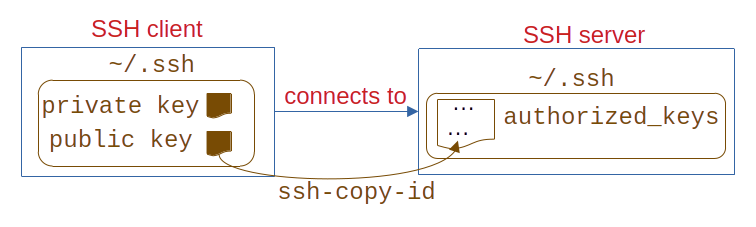
Installing the SSH public key on the server
There can be several public keys in ~/.ssh/authorized_keys:
several users can connect to the same account.
ssh-copy-id to send the public key to the right place, if you can
also identify by password.
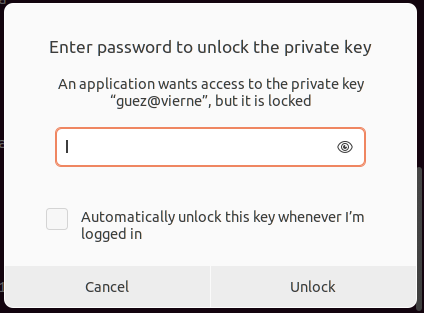
Seahorse
Graphical tool to automatically create an SSH agent, if it does not
exist yet, and to ask you the passphrase, when you run an SSH
command, only the first time you run an SSH command !
Seahorse is the GUI around Gnome Keyring.
apt install seahorse (but it should already be installed in Ubuntu
and Linux Mint)
Equivalent to Keychain Access on MacOS
SSH agent
Software to keep the passphrase for your private key and provide it
automatically to SSH commands.
The SSH agent process keeps the passphrase (in main memory) until
you log off or restart (your choice).